
How to create, edit and delete an employment contract template
Employee contract is the legal document which is used in the onboarding template to sign as the agreement during the onboarding process of the applicant
In this article we will learn about
- How to add new employment contract template
- How to edit employment contract template
- How to delete employment contract template
To add a employment contract template , first click on the template module from the side bar

After clicking on templates , click on the Document tab as shown in the image
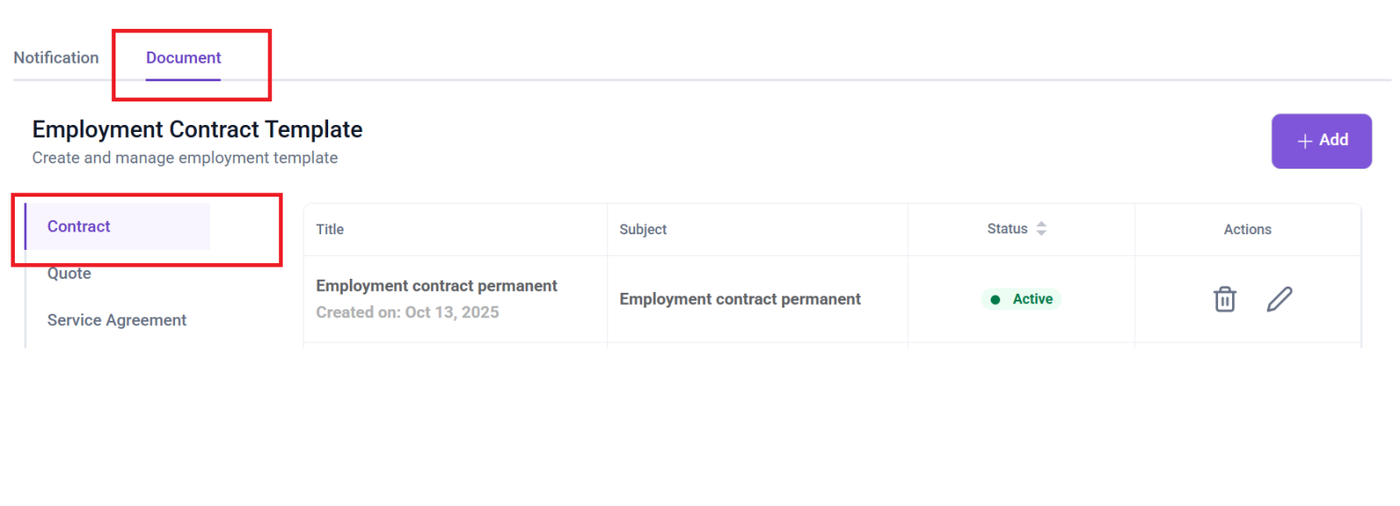
after switching to document tab, click add button

after clicking the add button you will receive the form to fill the details for template name, description, header, body and footer .
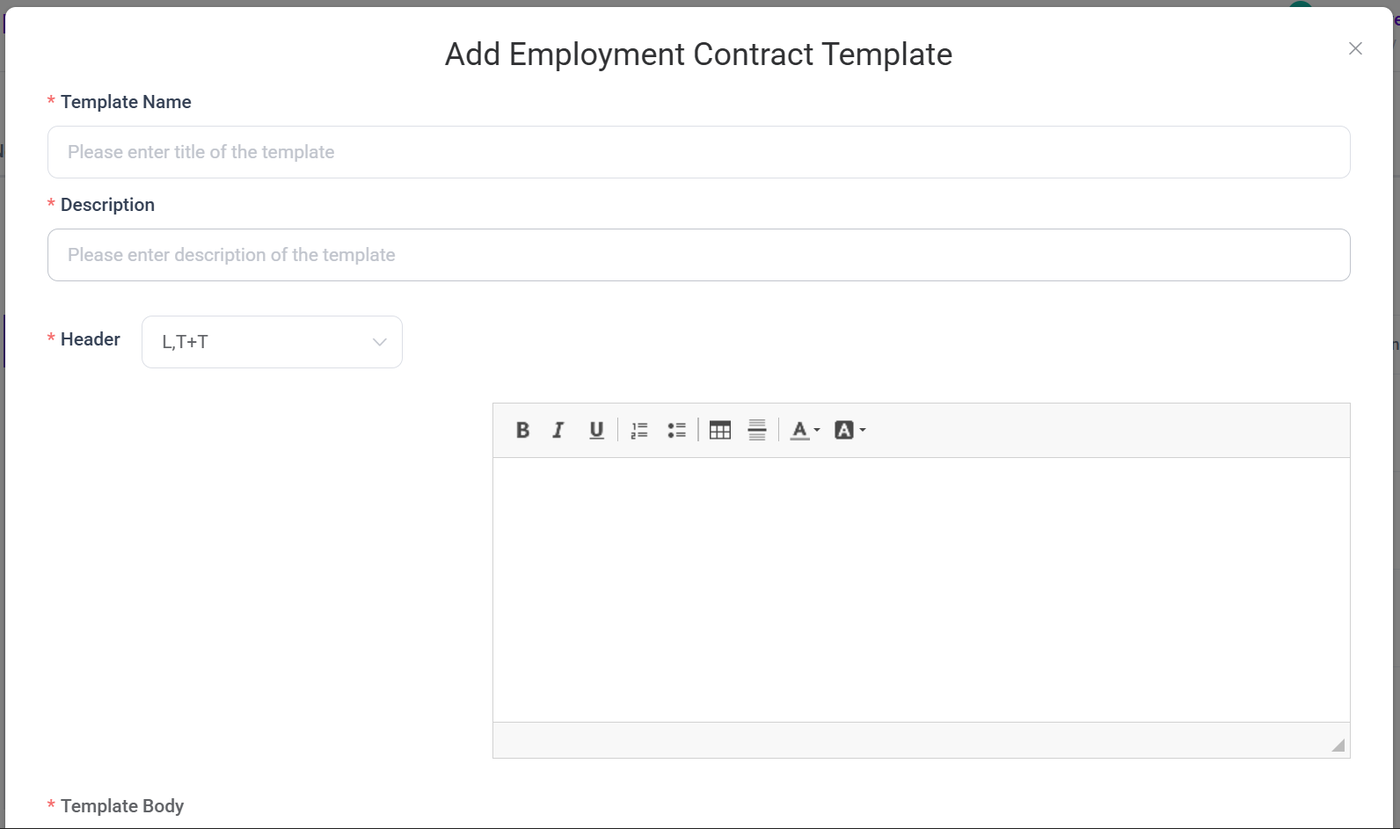
Template name: provide the name for your template here (for e.g. Template name)
Description: Provide the description for your template in this section
Header: Select the appropriate header format and you can also add place holder
Body: Provide the template content body in this section with required place holder
Footer: Select the appropriate footer format and you can also add place holder
Edit the existing employment contract template
To edit the existing employment contract template click Edit button (Pencil icon)
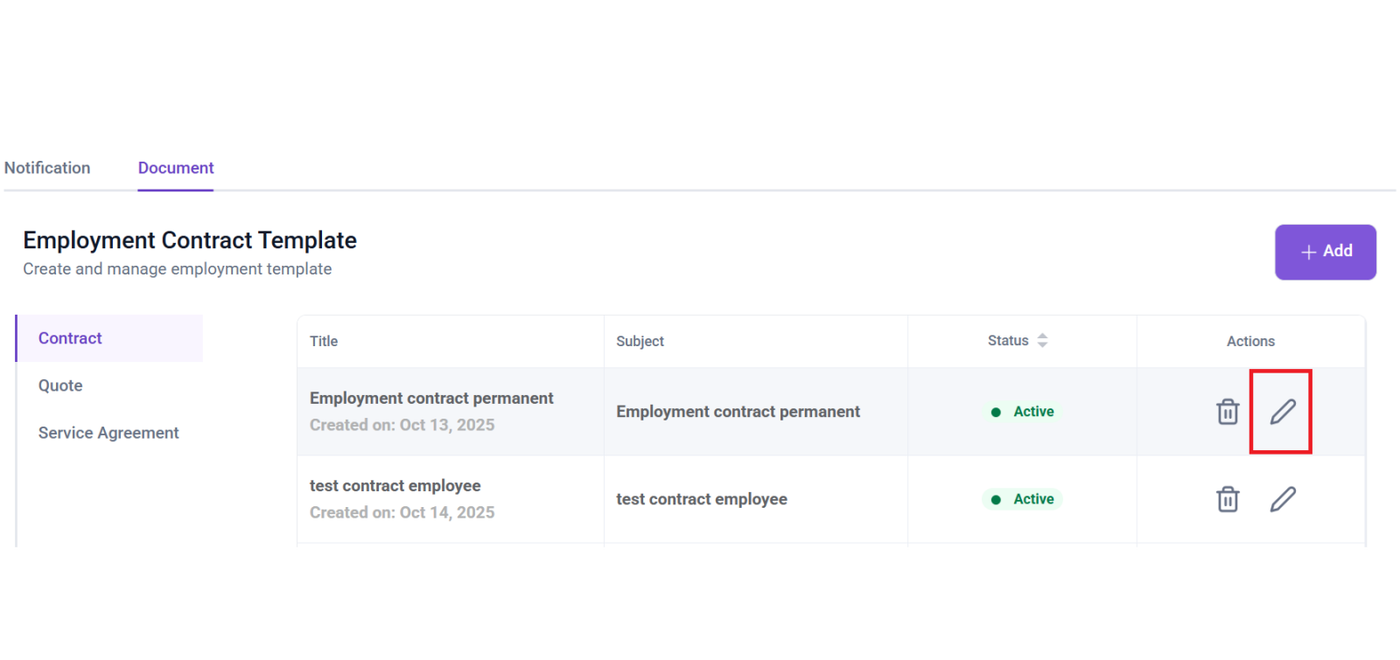
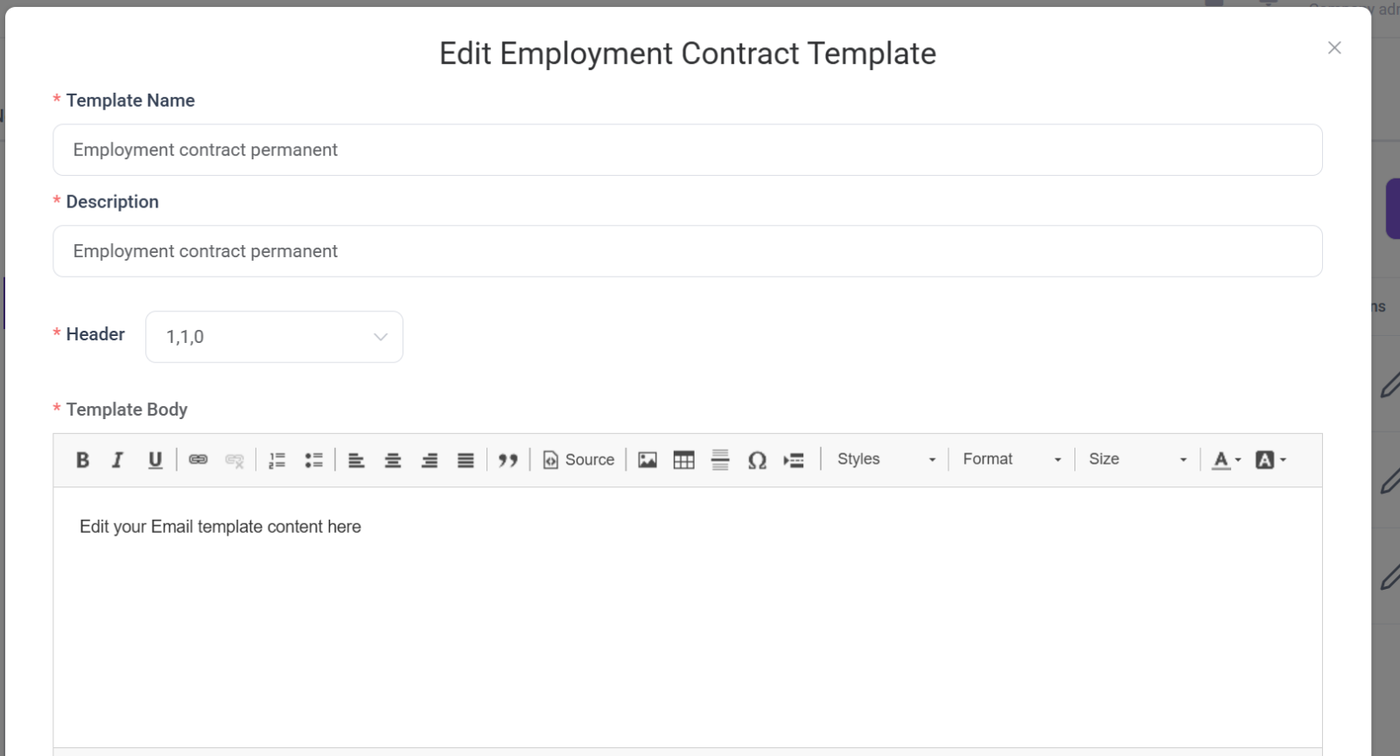
on pressing the button, you will see the form with existing details
Delete the employment contract template
To delete the existing contract template, Click delete icon button
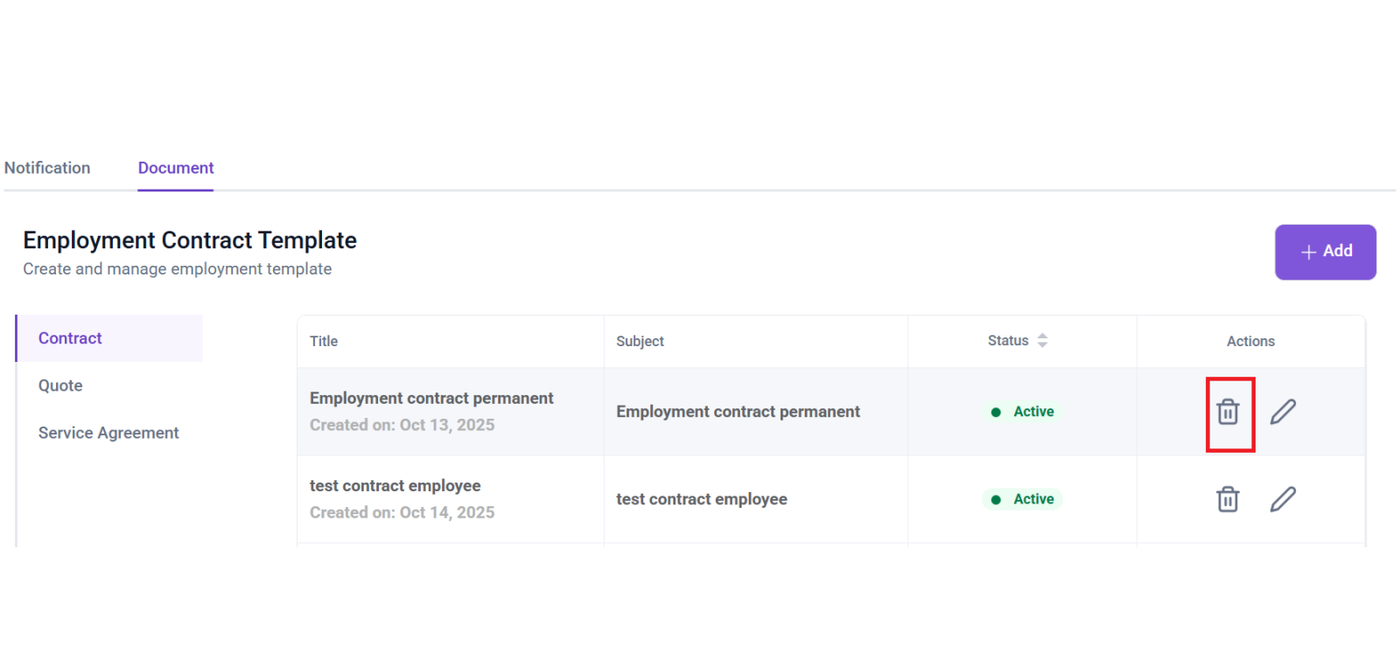 after clicking the delete icon button you will get a confirmation pop-up with the options; cancel and yes delete.
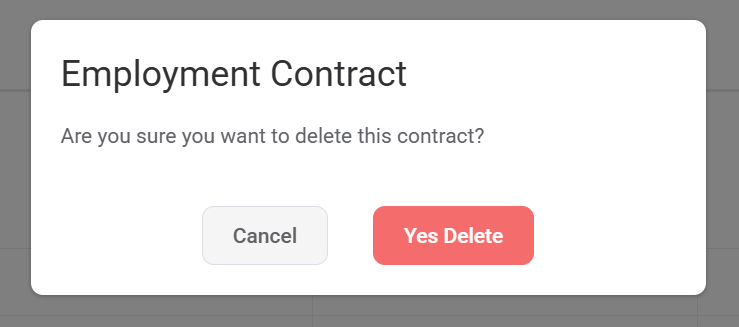
if you still wish to delete , click yes delete otherwise click cancel .